
Withering Realms Controls and Input
Full controller support, spacing, bug reports, and the Perf HUD in the Early Access build.
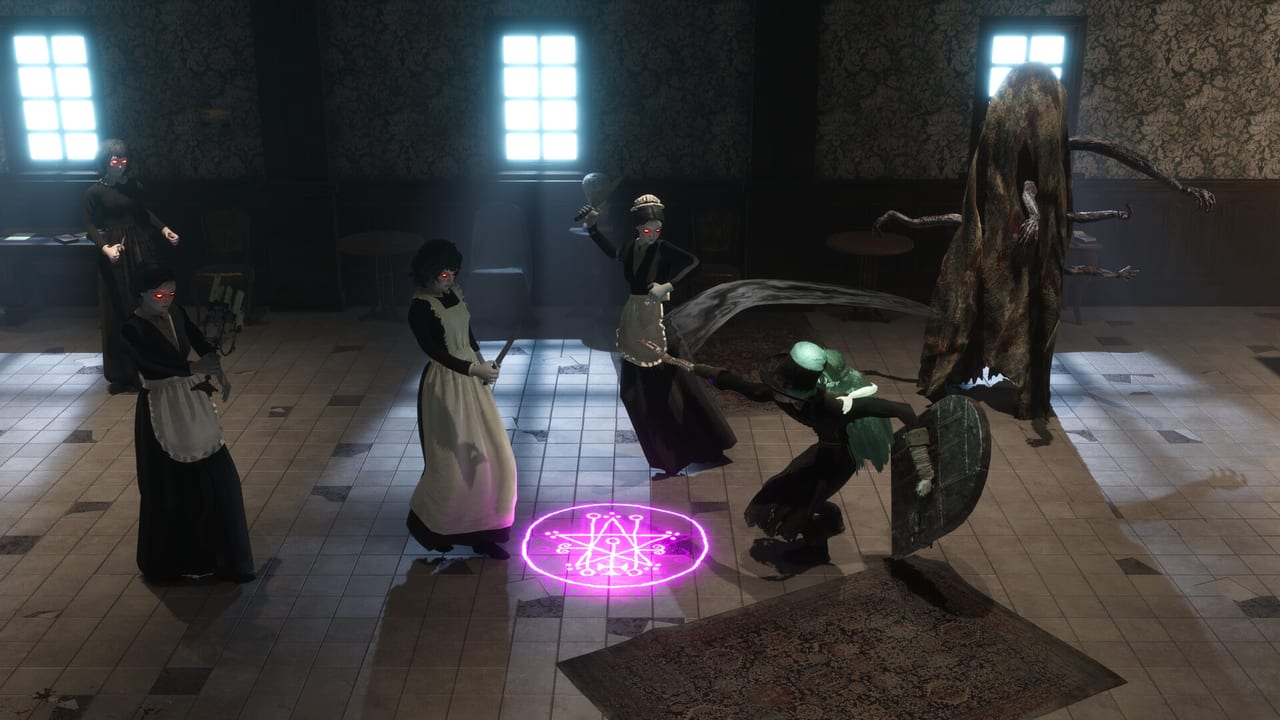
Withering Realms is a single-player horror action RPG that asks you to fire four arms independently while you move a two-metre doll through tight rooms. Steam Early Access opens on 2 September 2026 with full controller support, including DualShock and DualSense. Keyboard and mouse work; a controller is the better default if you care about spacing. This page does not invent a default bind table. Open the in-game input map, bind what your hands already know, then come back here for the habits that actually matter.
If you have not finished Beynon House, start with Getting Started and only then tune binds. Combat theory lives on the combat guide. Hardware floors live on system requirements.
Why a controller first
The doll’s right socket fires a primary and a secondary. Melee primaries are light combos. Secondaries are heavier strings that carry the doll forward, which means a missed secondary is also a missed step. The doll’s left hand holds utility such as shields and pistols. Clover’s left hand throws flasks and grenades. Her right hand holds a spell catalyst that fires quickly and enhances the doll. That is four independent inputs plus movement. A gamepad puts those actions on shoulders, triggers, and face buttons so you can walk while you decide which limb to feed.
Keyboard clusters force you to look down. In Penwyll at night that is how you walk into a scarecrow you thought was a prop. Use a DualShock or DualSense if you have one. Steam Input should see both. If a prompt looks wrong, open the in-game input map before you assume the build is broken. Do not copy a bind overlay from a stream until you have confirmed it against your own map; Early Access can reshuffle prompts without a wiki noticing.
Mouse look is fine in Saintswood fields. It is worse in Beynon House corridors where a secondary melee lunge needs a short stick flick, not a wide swipe. If you insist on keyboard, bind movement to a layout you can hold for an hour and put the four arms on keys you can hit without leaving WASD. Then practise one hallway until the secondary lunge feels like a step, not a special move.
Pause menu, slash key, and feedback
Press Slash (/) or open the pause menu to report a bug. That is the official path in the Early Access build. Attach a screenshot, mention the limb crafts you were holding, and say whether you were in Beynon House, Saintswood, or Penwyll. Moonless Formless is a solo Seattle studio (Troy West). A short report with a picture beats a ranked list of complaints. Community chat has historically used the Moonless Formless Discord; news and patch notes also land on Steam and the official site.
Before you file, check the Early Access notes so you are not reporting a known scope limit as a crash. Consoles and extra languages wait for the 2027 full release. The Steam build is English for interface, audio, and subtitles. Steam Cloud and achievements ship with the Early Access build; if a cloud save fails, include that in the slash report rather than assuming the pause menu lied.
The pause menu is also where you leave a fight without rage-quitting the process. Because death does not wipe items, crafts, or story, you can pause, breathe, and walk back. This is not a roguelike. Some rooms shuffle on entry; your inventory does not.
Graphics options and the Perf HUD
Open graphics options and enable the Perf HUD when a session stutters. The HUD is there so you can see whether you are CPU bound, GPU bound, or hitching on a shader compile. Demo-era Steam Deck sessions ran well; treat that as history, not a promise about every Early Access patch. If a handheld or desktop frame time spikes in Saintswood at night, capture the HUD in the slash-key screenshot. Night is pitch black with physical lighting, so a low frame time in darkness is useful data, not only a complaint about gloom.
Minimum PC numbers are Windows 10, an i5-2500K or Ryzen 5 1400, 8 GB RAM, a GTX 970 or RX 570, DirectX 11, and 14 GB of space. Recommended is an i7-8700K or Ryzen 5 3600X, 12 GB RAM, a GTX 1070 or Vega 56, DirectX 12, and the same 14 GB. If you sit near the minimum, drop effects before you drop resolution; the 3/4 top-down camera still needs silhouette reads on the doll’s missing arm.
Settings that are not binds
Camera feel, vibration, and subtitle size all sit next to the input map. Turn subtitles on even if you have English audio; Penwyll NPCs talk over combat. Vibration helps on DualSense when a secondary melee connects and the doll steps forward. If vibration distracts you during Althea’s fixed-camera sections, turn it down there rather than globally; her interrogation, lockpicking, and forgery scenes play more like classic survival horror, and a rumble that helped in Saintswood can hide a lockpick window. Her roster notes live on the characters hub.
Do not chase a perfect bind overlay before you understand combat. A shield on the doll’s left hand is useless if you never press it. A flask on Clover’s left hand is useless if it shares a panic key with the catalyst. After you set a map you can hold, go to Saintswood and practise: primary, secondary, tool, flask, catalyst, walk. Then read night cycle so you know why the same bind feels different in pitch black, and bosses so you know when a secondary lunge is a gift and when it is a face-first death.
A good control setup is the one you can still use when Clover’s glow is the only light and a perimeter guardian is circling. Recheck the in-game input map after each major patch, keep Slash bound somewhere you can find it, and leave the Perf HUD one toggle away. The doll will not wait while you hunt a screenshot key in a nested menu. Bind feedback first, vanity second, and then go play.
Frequently Asked Questions
Quick answers for Penwyll, the doll, and Early Access.
What are the default keyboard binds?
Check the in-game input map. This wiki does not invent a default overlay. Full controller support includes DualShock and DualSense; a controller is the better default for spacing.
Should I play with a controller or keyboard?
A controller. Four independent arms plus a secondary melee that carries the doll forward are easier on shoulders and sticks. Keyboard works if you already have a layout you can hold for an hour.
How do I report a bug?
Press Slash (/) or use the pause menu. Attach a screenshot and name the crafts on each limb. Read Early Access notes before filing a known-scope issue.
Where is the Perf HUD?
Graphics options. Enable it when a session stutters, especially on Steam Deck or near the minimum specs. Include the HUD in slash-key reports.
Does death reset my binds or items?
No. Withering Realms is single-player and not a roguelike. Death does not wipe items, crafts, or story. Binds live in the input map until you change them.